Tasknote
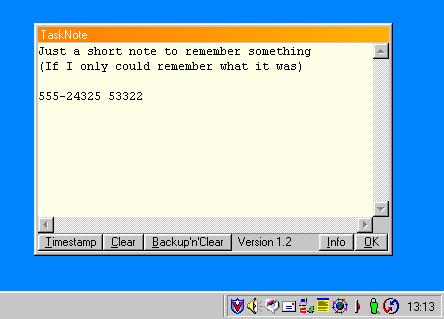
Tasknote is just a reimplementation of these yellow sticky notes as a computer program. It places a little Icon in the traybar (where the clock is). When ever you have to write something down, simply hit the icon, make a note and hit [ESC] to close the window again. Everything you write is automatically saved.
Tasknote comes also with a button that inserts the current date and time (for example when you answer a call and want to write down who called when). And it has a backup'n'clear button which saves all current notes to a seperate file and clears the textarea.
For installing it, simply copy the tasknote.exe to a seperate directory (e.g c:\program files\tasknote) and create a shortcut to it in your Autostart folder.
I wrote it in a single night when I couldn't find a piece of paper to write something down 
The sourcecode is included. Download: tasknote.zip